Live Demos

See FlexGanttFX in Action

Explore interactive online demos powered by JPRO — no installation required. Experience real-world use cases from enterprise scheduling to MS Project file import, directly in your browser.

Emirates Airlines Resource Scheduler

Emirates Airlines Resource Scheduler

Emirates Airlines uses FlexGanttFX at their headquarter in Dubai to fine-tune the utilization of their aircraft fleet. Emirates developed scheduling procedures and algorithms and FlexGanttFX visualizes the results.

Launch Demo
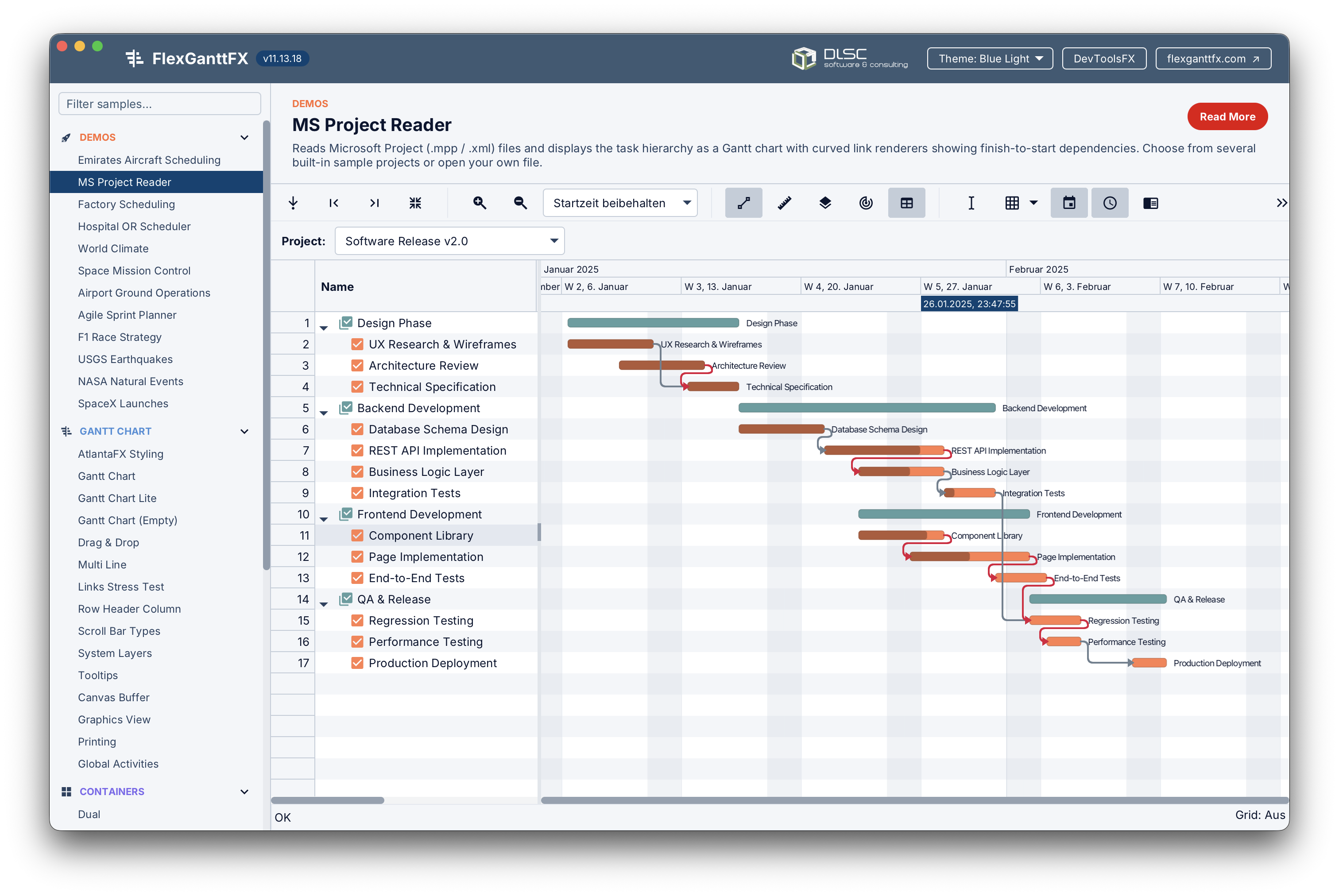
MSProject File Reader

MSProject File Reader

By using third-party libraries applications can import data from all kinds of sources and display them in a FlexGanttFX UI. In this demo the open source project MPXJ is used to read a Microsoft Project data file.

Launch Demo
FlexGanttFX Sampler

FlexGanttFX Sampler

This is the online version of the FXSampler demo of FlexGanttFX. Here you can try out all individual samples of this application. Each sample focuses on one or two features built into FlexGanttFX.

Launch Demo
Powered by JPro

What is JPro?

The technology behind the online demos above — run any JavaFX application directly in the browser, with no plugins or installation required.

JPro is a commercial product developed by SANDEC GmbH that acts as a server-side rendering bridge for JavaFX applications. Instead of running the JavaFX application on the end-user's machine, JPro runs it on a server and streams the rendered output to any modern web browser using standard web technologies (HTML5, WebSockets, and SVG/Canvas).

From the user's perspective the application feels fully interactive — mouse clicks, keyboard input, drag & drop, and scrolling all work exactly as they would in a native desktop application. From the developer's perspective nothing changes either: you write and maintain a single JavaFX codebase and JPro takes care of the web deployment.

FlexGanttFX works seamlessly with JPro because it is a pure JavaFX control built entirely on the JavaFX Canvas and Scene Graph APIs. No special porting or adaptation is needed — if it runs on the desktop, it runs in the browser via JPro.

Server-Side Rendering

The JavaFX application runs on your server. JPro renders each frame and streams it to the browser in real time over a WebSocket connection.

Zero Code Changes

Your existing JavaFX/FlexGanttFX codebase works as-is. JPro integrates as a library — no rewrites, no separate web frontend to maintain.

Any Device, Any Browser

Works on desktops, laptops, tablets, and smartphones — Chrome, Firefox, Safari, and Edge. No Java runtime or plugin needed on the client side.

Data Stays on the Server

Because the application runs server-side, sensitive data never leaves your infrastructure. Ideal for enterprise deployments with strict data governance requirements.

Multi-User & Multi-Session

JPro handles multiple concurrent user sessions on the same server, each with an isolated application instance — just like a traditional web application.

Learn More

Visit jpro.one for full documentation, pricing, and live demos of JPro itself. A free trial is available.

Want a personalised demo?

Contact the DLSC team to arrange a live walkthrough tailored to your specific use case.

Request a Demo